Retro game console
1
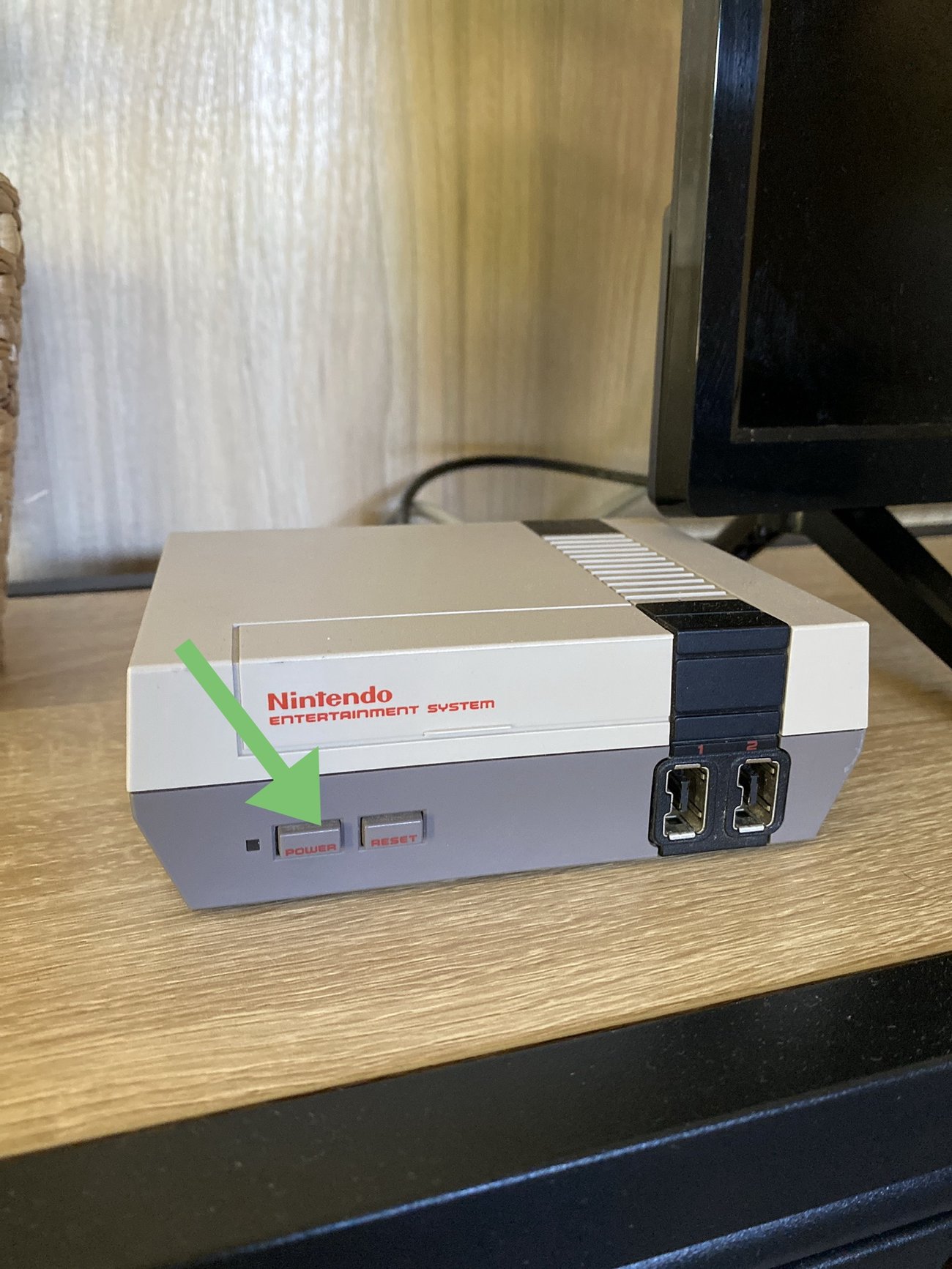
Turn on the game console: the red LED lights up.
2
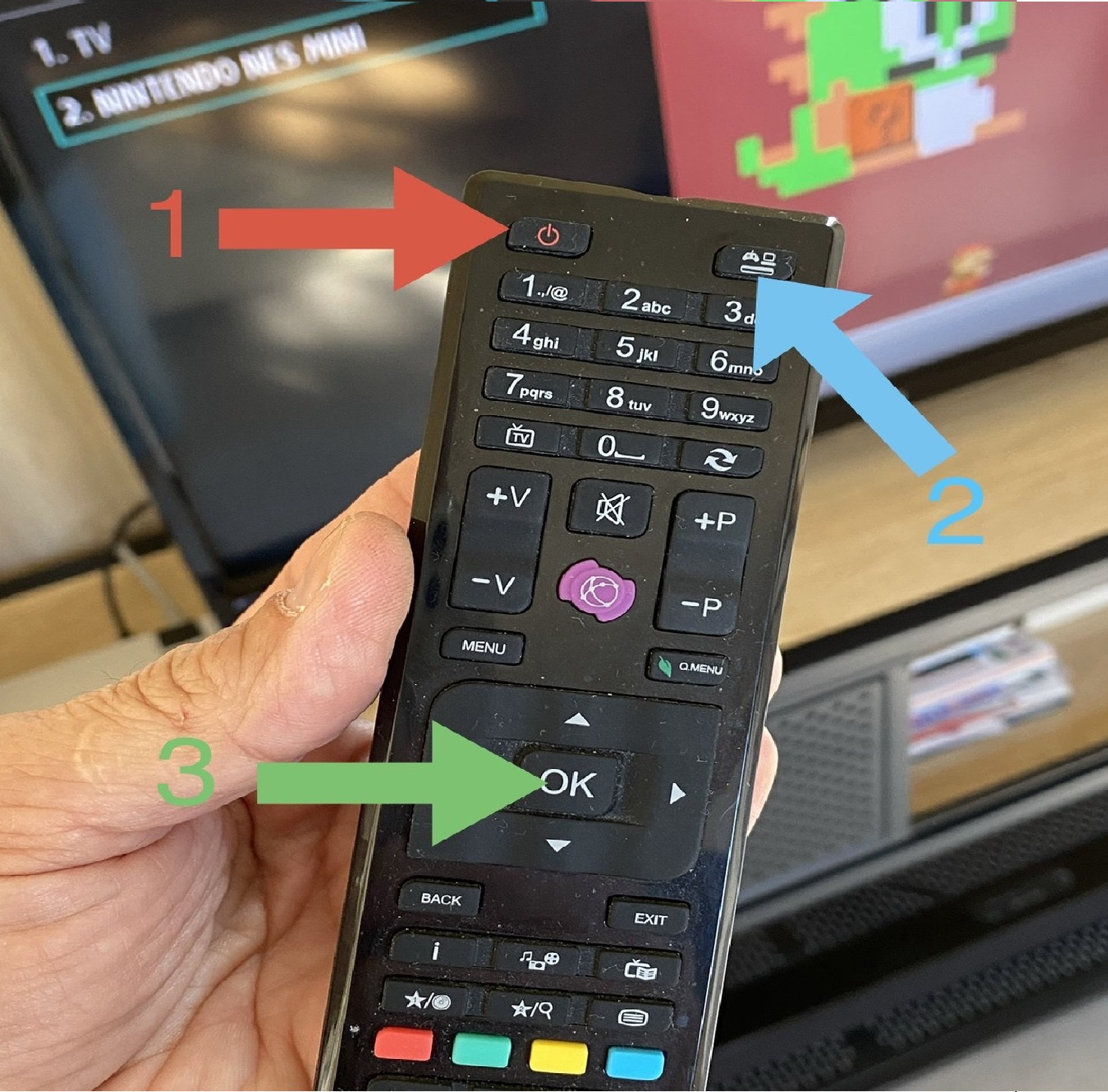
Turn on the television (1).
Press the Source button (2) on the remote, then select "Nintendo NES Mini" with the directional pad and confirm with OK (3).
3
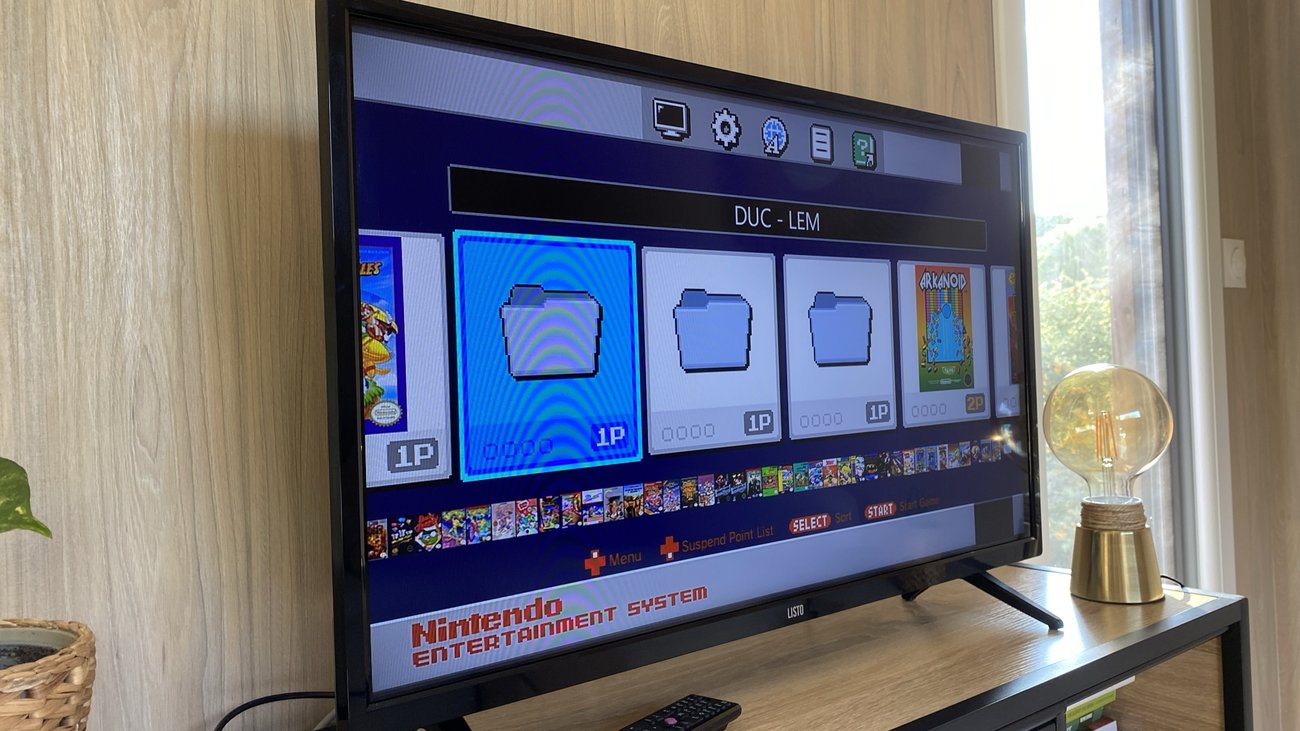
The console appears on screen — enjoy your game!